
◤ Photo gallery
Show off the place and the people, and keep private photos private.
Group photos into albums. Some are open to the world. Some are for your people only. You decide who may add photos to each one.

◤ Why it helps
What changes when photos have a home
Photos in one place
Albums for the grounds, the picnic and the annual dinner, instead of links scattered through emails.
Public or private, per album
Show the grounds to anyone. Keep the member picnic for your people only.
Many hands, one say
Let members add photos where you want them to, and approve each one first if you like.
◤ Live from this demo
A public album, as a visitor sees it
This is the public Grounds album on this site. Press a photo to open it larger and move through the album.


◤ What it can do
The main parts
Albums with a cover and a description
- Each album has a name, a short description and a cover photo
- Put the same photo in more than one album
- Reorder photos, and keep a photo even if its album is deleted
Look at them on any phone
- A grid of thumbnails that load as you scroll
- Press one to open it large, with its caption and the next and previous photo
- Works with arrow keys and a swipe
You choose who may add photos
- Each album says who may upload: nobody, a role you name, or everyone who can see it
- Choose several photos at once and write a short description for each
- The people who upload never need to see the staff side
Approve before it shows
- Where you want a check, new photos wait for a staff member
- The person who sent a photo sees it marked as waiting
- Staff can hide a photo later without deleting it
◤ Three views
Who sees what
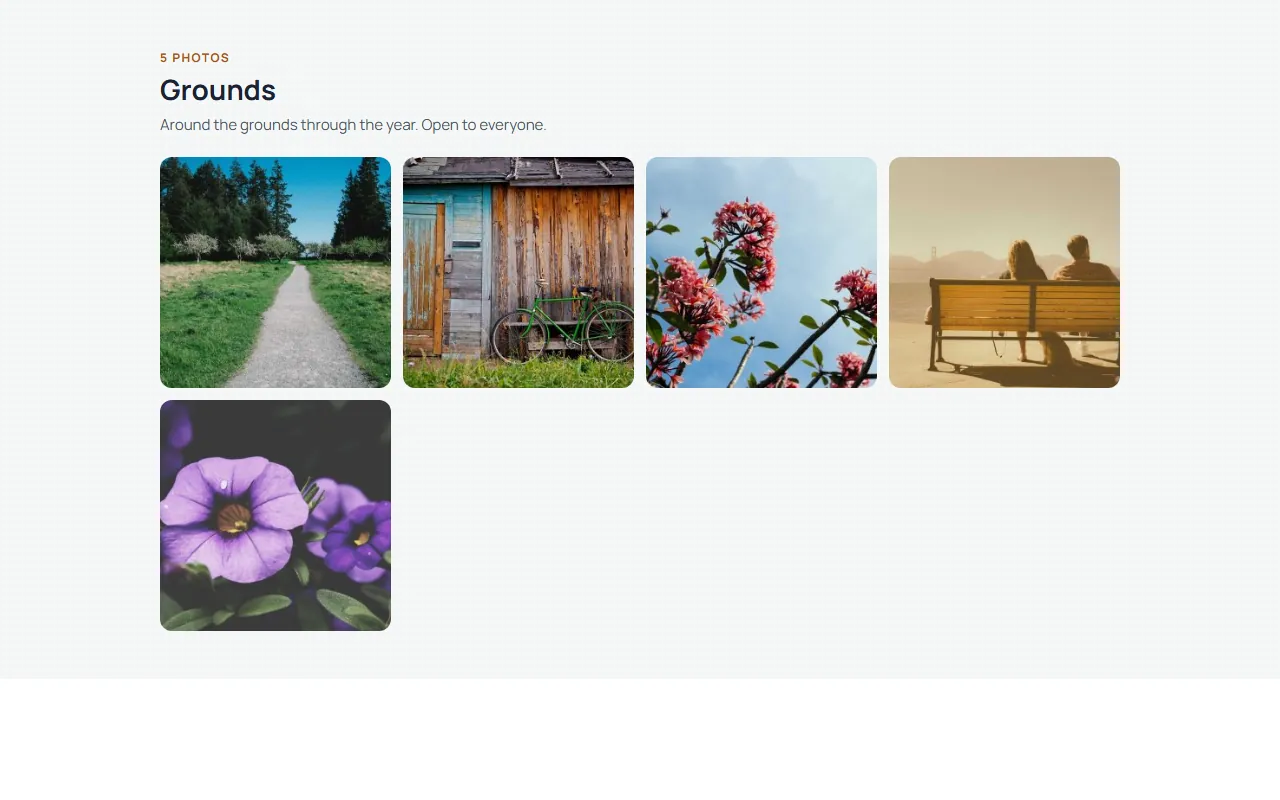
Visitors
See only the albums you mark public. An album they may not see does not appear anywhere.
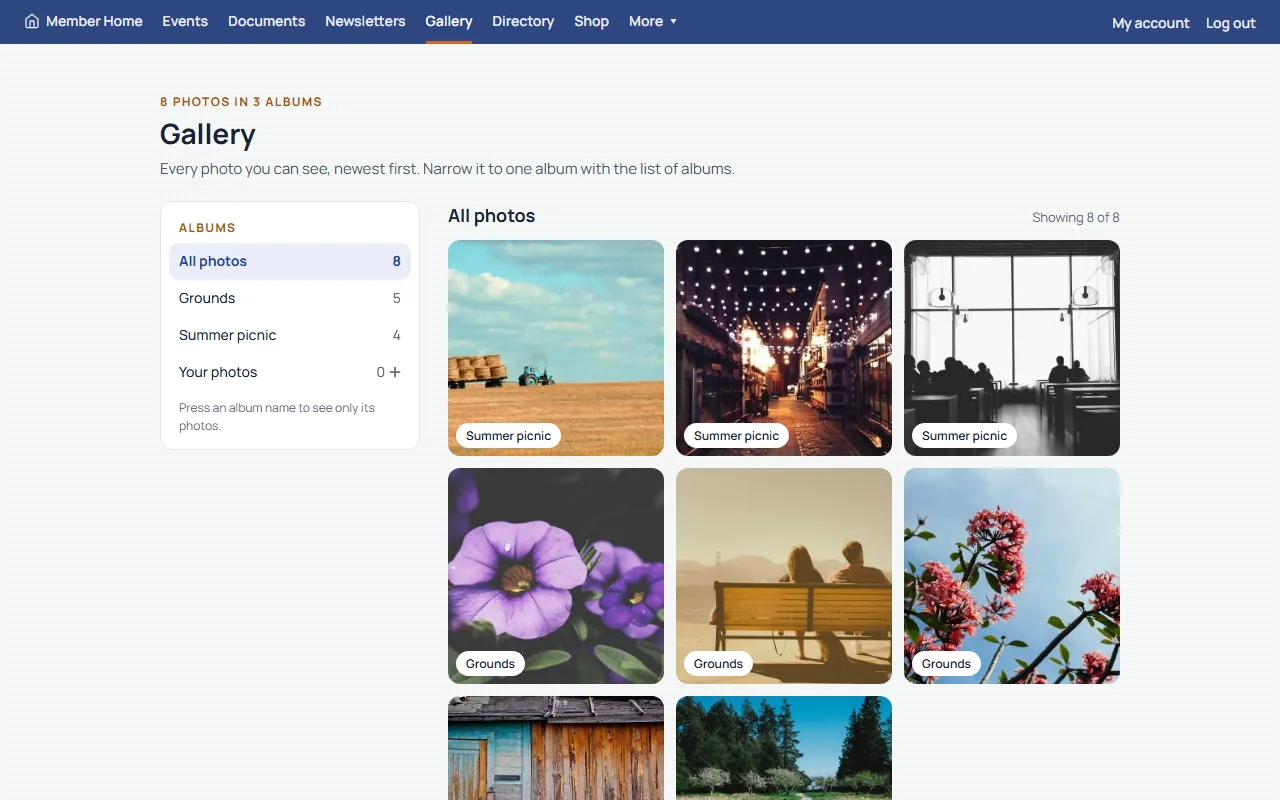
Your people
After logging in they also see albums for your people only, and can add photos where you allow it.
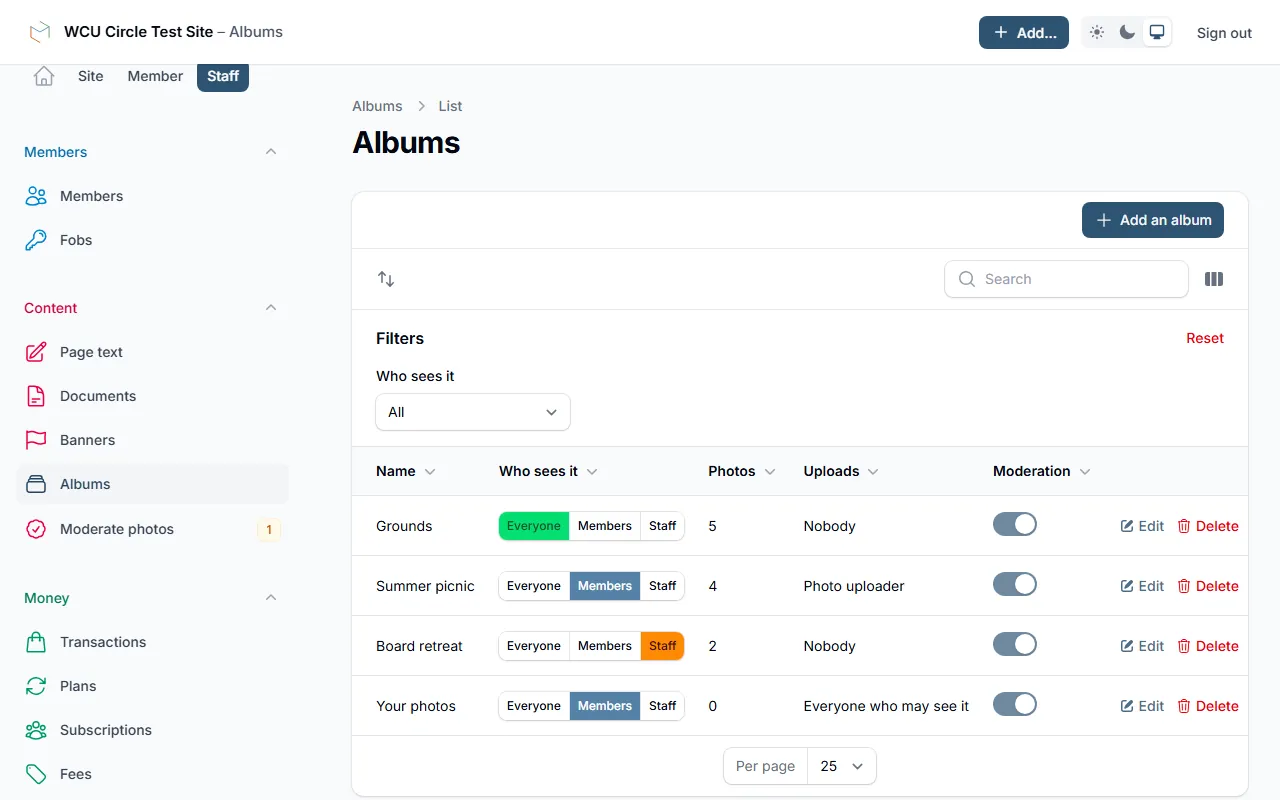
Your staff
Make albums, upload and order photos, approve or hide them, and see everything.
Want your photos to work this way?
We'll walk you through it live, staff side included.
◤ Made to work together
Every feature shares one foundation
One login for your people. One list of who they are. One checkout for anything they pay for. Each feature knows what the others know, so your staff type things once and your people find everything in one place.
- One login
- One list of your people
- One checkout
- One staff side