
◤ Key fobs
Know who holds every key fob.
The gate, the pool, the community room. Staff keep one register of each fob, who has it, and everything that has happened to it. Your people never see it.

◤ Why it helps
What changes when fobs have a register
One search answers it
Who has fob 0417? What does this person hold? Type a number or a name.
A record nobody can rewrite
Every hand-out, return and correction is kept with who did it and when.
Fobs come back to the drawer
When someone leaves, their fobs are marked so no one forgets to collect them.
◤ What it can do
The main parts
Every fob, with its status
- Whatever is printed on the fob is its number
- In the drawer, held by someone, freed or retired
- Search any part of a number, or a holder's name
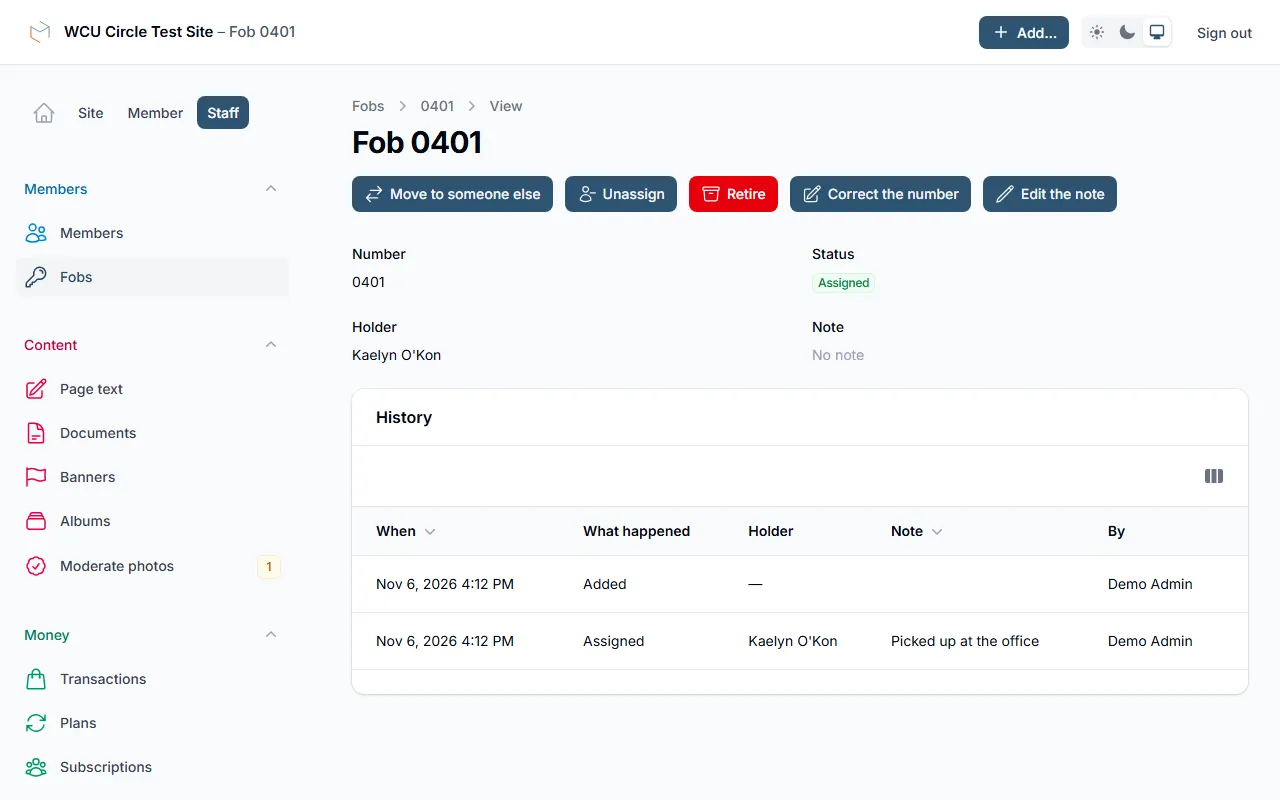
A history for each fob
- Handed out, moved to someone else, returned, retired, found again
- Each entry shows who did it, when, and a note if they left one
- Entries are never edited or deleted
When someone leaves
- Deactivate or delete a person and the fobs they hold are marked freed
- The confirm screen says which fobs will be freed
- A freed fob stays on a list until staff confirm it came back
On the person's own record
- See what a person holds now and everything they have held
- Hand out a spare fob, or add a new number and hand it out in one step
- The people list shows a fob column and can filter to people who hold one
◤ Staff only
Your people never see any of it
The register is for the office. There is no tile, menu item or page for your people, so a fob number is never shown outside the staff side.
It is a register, not a door system. It does not talk to gates or card readers. We can build that link if you need it.
Want to see the register?
We'll walk you through it live, staff side included.