
◤ Documents
Bylaws, minutes and forms, in one place people can actually find.
Upload a file once and choose who may open it. When a new version comes, replace the file. The link stays the same and the old file is kept.

◤ Why it helps
What changes when documents live here
One place to look
Bylaws, minutes and forms sit in boxes by category. No more digging through old emails.
The link never goes stale
Replace a file and every link and bookmark still works. People always get the current one.
Private stays private
Each file is for everyone, for your people only, or for staff only. A file someone may not open does not show up for them anywhere.
◤ Live from this demo
The newest documents, as you would see them
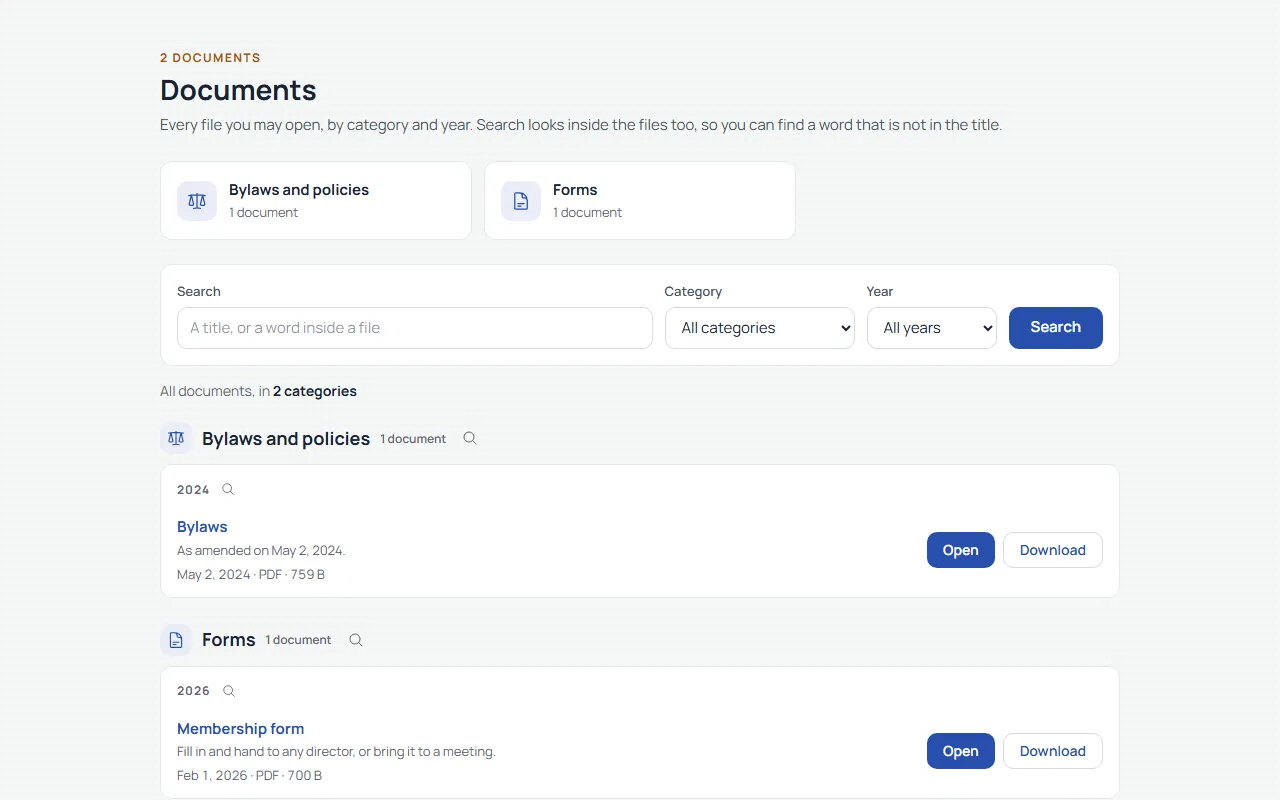
These are real files on this site. The list shows only what a visitor like you may open.
- Membership form PDF · updated Nov 15, 2026
- Bylaws PDF · updated Nov 15, 2026
◤ What it can do
The main parts
Find it by category, year or a word
- A box for each category, such as bylaws, minutes and forms
- Filter by year, or search the titles and descriptions
- Search looks inside PDFs too, so a word in the minutes finds the minutes
Replace a file, keep the link
- Upload the new version and the document keeps its address
- Every old version is kept, and staff can make an older one current again
- Staff can delete a document and restore it later
Let one person replace one file
- Name a person or a role, such as the pool keeper, for a single document
- They can replace that file and nothing else
- No access to the rest of the staff side
Everyone, your people, or staff
- Set the audience on each document
- A staff-only file stays hidden from everyone else, including the people who may replace others
- A visitor who reaches a private file is sent to log in first
◤ Three views
Who sees what
Visitors
See the documents you mark public, such as a rental form or the bylaws.

Your people
After logging in they also see documents for your people only, and a Replace button where they have been given that right.

Your staff
Upload, categorize, set who sees each file, replace it and look back at old versions.
Want your documents to work this way?
We'll walk you through it live, staff side included.
◤ Made to work together
Every feature shares one foundation
One login for your people. One list of who they are. One checkout for anything they pay for. Each feature knows what the others know, so your staff type things once and your people find everything in one place.
- One login
- One list of your people
- One checkout
- One staff side